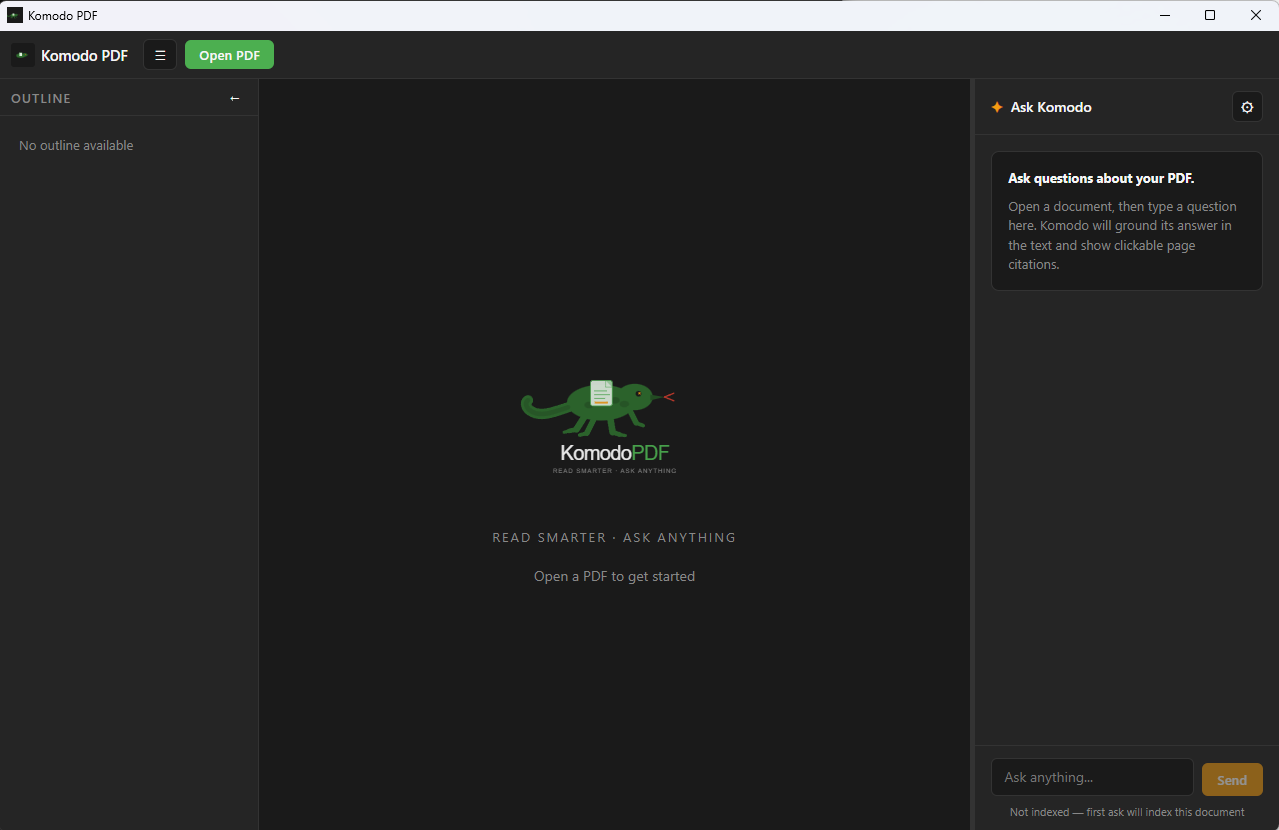
The private PDF reader with an AI that actually read the page.
Ask questions about the document you're reading and get answers grounded in its text, with page-cited sources you can click to jump to and highlight — never a black-box chatbot guessing about a file it never read.
Free & open source · Windows 10/11 (x64) · macOS & Linux: build from source
The privacy promise
There is no Komodo server.
Most “chat with your PDF” tools upload your document to someone else's server. Komodo can't — because there's nowhere to upload it to. No telemetry, no phone-home, no Komodo backend exists.
Nothing to upload to
Your files stay on your machine. Komodo never sends them to us, because there is no “us” in the network path.
Your provider, your key
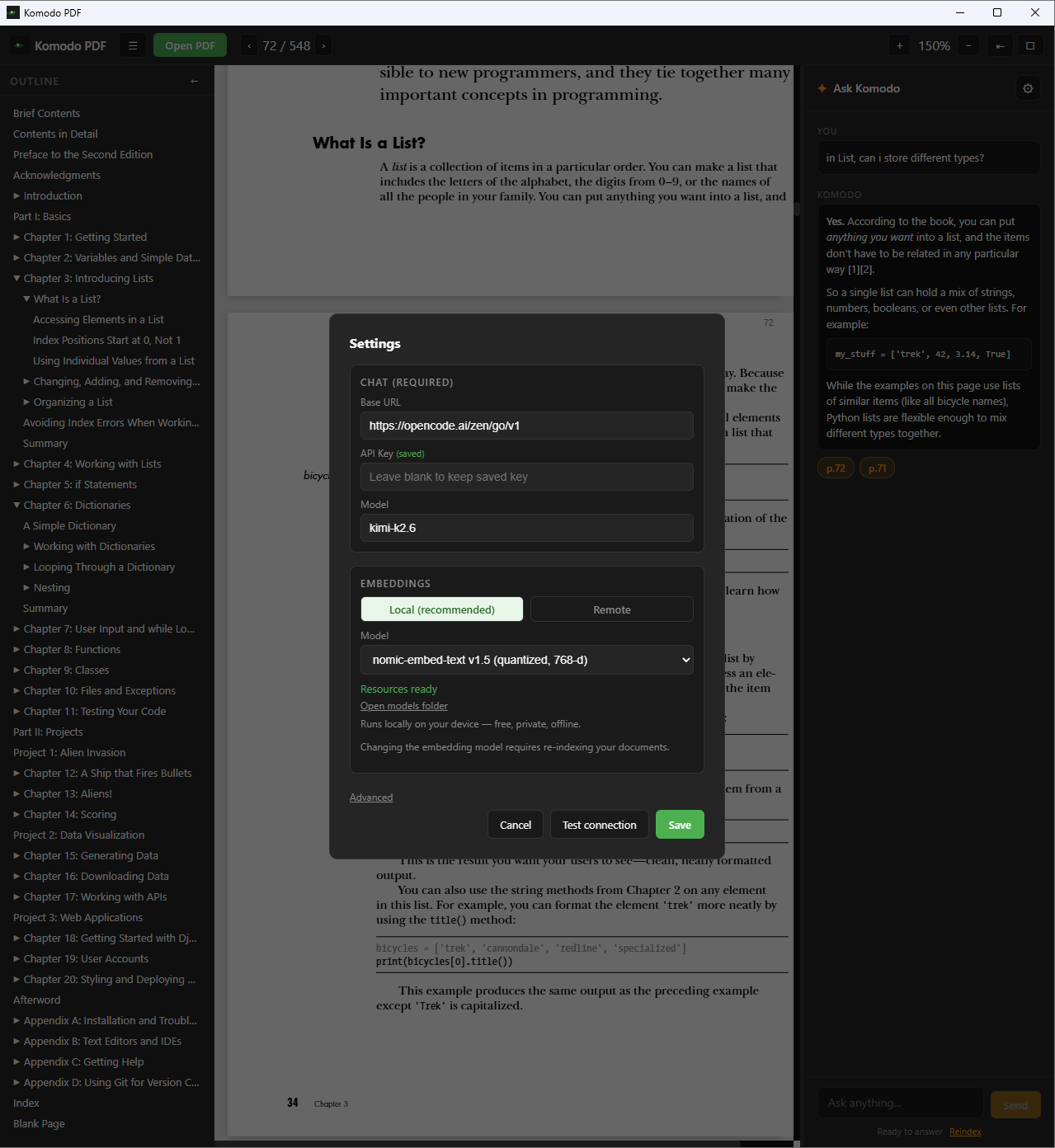
The AI panel talks only to the provider you configure, with your own API key. If you choose a remote model, only the passages needed to answer are sent — to your provider, never to Komodo.
Or fully local
Pick local ONNX embeddings together with a local chat endpoint and your document never leaves your laptop at all.
Honest about the details: with a remote chat provider, the retrieved chunks of your document are sent to that provider as context. That's your choice and your key — and the fully-local path avoids it entirely.
Features
A great reader, with a grounded brain bolted on
Reading, zoom, outline and selection all work whether or not you ever turn the AI panel on.
Reading
A genuinely good reader first
-
Smooth continuous scroll
Open any PDF and read with fluid continuous scroll, zoom, fit-width and fit-page — powered by Mozilla's pdf.js.
-
Outline & text selection
Jump around with the document outline, and select real text from a true text layer — not a flat image.
-
Knows what's scanned
A per-page “no text layer” badge tells you exactly which pages are scanned images, so nothing is a mystery.
Continuous scroll · zoom · fit-width · outline · real text selection
Grounded AI
An assistant that actually read the page
-
Page-cited answers
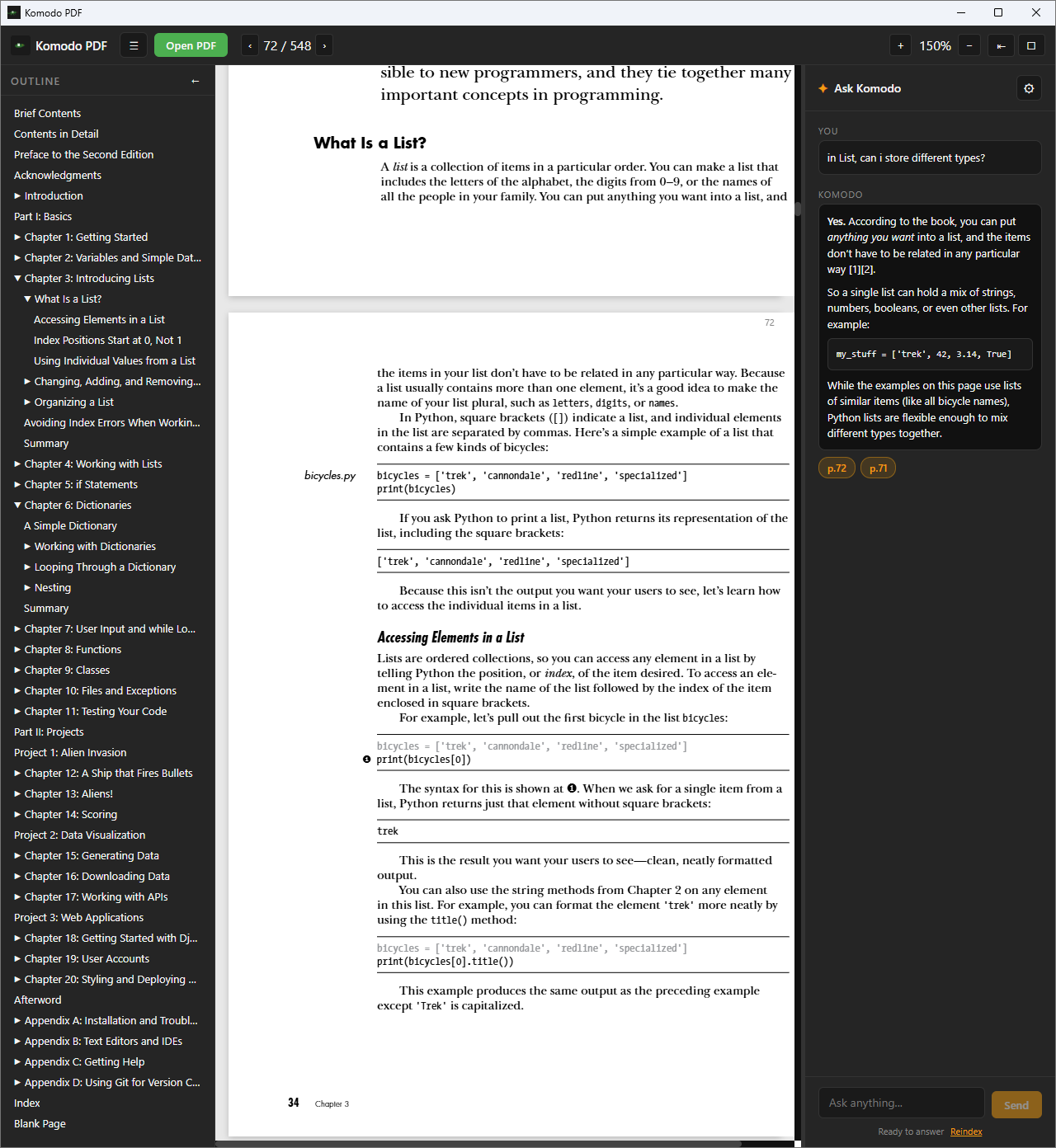
Ask about the open document and get answers grounded in its text, with [n] citations you can click to jump to and highlight the source.
-
Retrieval-augmented
Komodo indexes the document into a local vector store and retrieves the most relevant passages for every question.
-
Confidence routing
When the document answers your question, it stays grounded. When it doesn't, it falls back to general knowledge — and tells you so.
Privacy & providers
Bring your own key. Keep your own files.
-
No Komodo server
There's nowhere for your documents to be uploaded to — there is no Komodo backend. No telemetry, no phone-home.
-
Fully-local option
Pick local ONNX embeddings plus a local chat endpoint and your document never leaves your laptop at all.
-
Your provider, your key
Chat through any OpenAI-compatible provider with your own API key, stored in the OS keyring with an encrypted on-disk fallback.
How it works
From open file to cited answer
Five steps, all on your machine until the moment you choose to call a remote model.
Demo walkthrough coming soon
Ask → answer with [2] → click → page scrolls and highlights
- 1
Extract
Text and per-span coordinates are pulled from each PDF page in the reader.
- 2
Chunk
Pages are split into overlapping, sentence-aware chunks (~700 tokens) on the Rust side.
- 3
Embed & store
Chunks are embedded — locally or remotely — and written to a local SQLite vector store, keyed by a hash of the file so re-opening is instant.
- 4
Retrieve
Each question is embedded and scored by cosine similarity; the top matches, plus your current page and selection, form the grounding context.
- 5
Answer
Context and question go to your configured chat model, which streams back a response with clickable, highlightable [n] citations.
Steps 1–4 run entirely on your device. Only step 5 reaches out — and only to the provider you configured.
Download
Get Komodo PDF
Free and open source under the GPLv3. Version 0.1.1 · Windows 10/11 (x64).
“Windows protected your PC”?
Komodo isn't code-signed yet — it's a young, one-person open-source project, and certificates are expensive. Windows SmartScreen may show an “Unknown publisher” warning. That's expected: click More info → Run anyway. Better still, verify the download against its published SHA-256 checksum first.
macOS & Linux
Prebuilt Mac and Linux binaries aren't ready yet, but Komodo is built on
Tauri and runs on both. You can
build from source today — npm install && npm run tauri build.
Verify your download — the SHA-256 checksums are published with each release (v0.1.1). A privacy app you can't verify isn't worth much.
Open source
Built in the open, GPLv3 forever
Komodo is deliberately focused — a reader with a grounded AI panel, not
an Acrobat clone. Read the code, file an issue, or send a PR. We use the
Developer Certificate of Origin, so sign off your commits with
git commit -s.
Tech stack
- Shell
- Tauri 2 (Rust)
- Frontend
- React 19 + TypeScript + Vite
- PDF engine
- pdf.js
- Storage / RAG
- SQLite vector store (Rust)
- Embeddings
- ONNX Runtime (local) + OpenAI-compatible HTTP
No telemetry · no analytics SDK · no document upload. Contributions that add any of those are declined by design.